


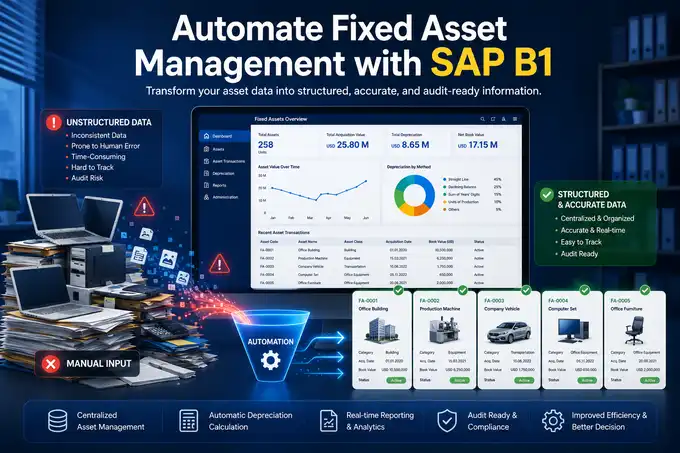
Imagine your company has just inaugurated a new branch office and acquired 100 operational laptops alongside 100 office chairs for employees. By the end of the month, the Accounting and Fixed Asset Administration teams are confronted with a tedious responsibility: manually entering each asset into the ERP system one by one in order to generate unique inventory numbers and initiate depreciation.
The manual input process for large volumes of identical assets not only consumes valuable time and diminishes productivity, but also creates significant exposure to human error.
A single mistyped serial number digit or an incorrect selection of the G/L Account Determination during capitalization can compromise the integrity of the company’s financial statements. It is precisely at this point that the efficiency of an ERP system is tested — preserving data accuracy without sacrificing the productivity of your finance team.
Virtual Item in SAP Business One is a specialized feature within the Fixed Asset module designed to automatically generate multiple identical Asset Master Data records through a single A/P Invoice transaction.
This functionality streamlines the capitalization of assets on a massive scale (bulk asset creation) while simultaneously ensuring the traceability of every individual asset unit.
Companies typically employ this feature when procuring large quantities of similar inventory items, such as computers, operational vehicles, or corporate gadgets.
What Is a Virtual Item in SAP Business One?
Within the ecosystem of SAP Business One Fixed Asset Management, a Virtual Item is not a physical product stored in a warehouse, but rather an intermediary template or master data structure.
This feature is specifically engineered to bridge the procurement process for items that, from an accounting perspective, must be recognized as individual fixed assets rather than inventory stock.
Once the Virtual Item characteristic is activated within an Item Master Data, SAP Business One interprets every quantity entered in a purchasing document as separate assets that must not be consolidated into a single capitalization value.
Instead, the system automatically fragments the quantity into multiple independent Asset Master Data records immediately after an A/P Invoice Fixed Asset or Goods Receipt PO document is created.
Why Do Companies Need Virtual Items?
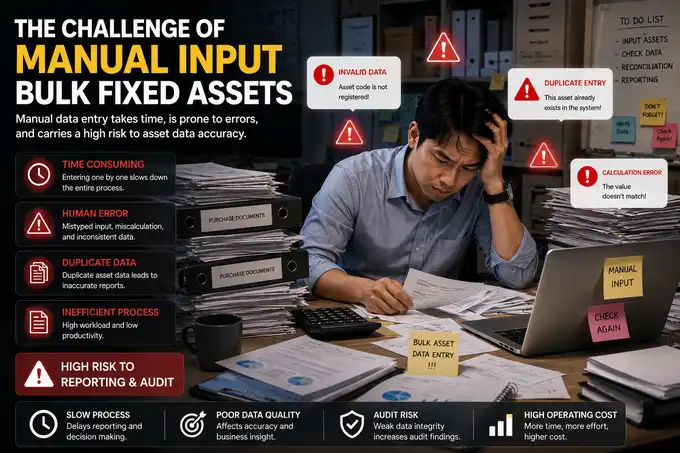
Without a properly implemented strategy within the SAP Business One Fixed Asset module, operational expansion often becomes constrained by internal administrative inefficiencies.
Below are three common challenges companies frequently encounter when managing bulk asset registration manually:
- Human Error and Duplicate Entry Risks: Manually entering dozens of identical assets significantly increases the likelihood of mistakes in asset names, specifications, acquisition values, and useful life determinations. The risk of duplicate item master data also escalates due to inconsistent naming conventions.
- Complex Serial Number Management: For assets such as operational laptops or smartphones, companies are obligated to record manufacturer serial numbers accurately. Associating serial numbers with each asset manually during capitalization is both inefficient and highly prone to mismatches.
- Weak Internal Control and Audit Trail: When capitalization processes are disconnected from procurement workflows, internal auditors face substantial difficulties during reconciliation. The absence of a seamless fixed asset document flow from vendor transactions to the general ledger (G/L) weakens internal governance and accountability.
How Does the Virtual Item Process Work in SAP Business One?
The implementation of Virtual Item dramatically simplifies administrative workflows by integrating purchasing and asset capitalization into a unified process. Below is a step-by-step implementation guide:
Step 1: Create an Asset Master Data Template
Navigate to the Fixed Assets module > Asset Master Data. Create a new master data record that will function as the Virtual Item. Enter a general description, assign the appropriate Asset Class, and configure the relevant Depreciation Group.
Step 2: Activate the Virtual Item Checkbox
Within the master data window, ensure the Virtual Item option is enabled. Once activated, define a dedicated Document Numbering policy that the system will use to generate new asset numbers automatically (automatic asset creation).
Step 3: Create an A/P Invoice Document
When goods arrive from the vendor, the Purchasing or Finance staff creates an A/P Invoice document (or a Goods Receipt PO if the assets are received directly into the warehouse). Enter the previously created Virtual Item code and specify the purchased quantity (for example: 50 units).
Step 4: Automated Asset Creation (Bulk Asset Creation)
Once the A/P Invoice document is posted into the system, SAP Business One intelligently executes a series of automated background processes.
The system instantly generates 50 unique Asset Master Data records derived from the predefined template, complete with accurately distributed capitalization values.
How Are Serial Numbers Used in Virtual Items?
One of the most powerful aspects of this feature lies in its integration with batch and serial tracking. For high-value technology assets, individual-level control is essential to ensure traceability, physical asset monitoring, and warranty management.
[A/P Invoice: Virtual Item Qty: 5]
       │
       ▼ (Enforce Serial Numbers)
┌──────────────────────────────────────────────┐
│ Input 5 Serial Numbers dari Vendor           │
└──────────────────────────────────────────────┘
       │
       ▼ (Automatic Asset Capitalization)
┌───────────────┬───────────────┬───────────────┐
│ Asset FA-001  │ Asset FA-002  │ Asset FA-003  │ ...
│ (Serial ABC1) │ (Serial ABC2) │ (Serial ABC3) │
└───────────────┴───────────────┴───────────────┘
During the configuration of the Virtual Item master data, administrators may activate the Enforce Serial Numbers option. Once enabled, the system will prohibit the posting of an A/P Invoice until users input a unique serial number for every purchased unit.
After the serial numbers are entered and the transaction is posted, SAP Business One automatically maps each serial number to its corresponding newly created Asset Master Data record.
The result is exceptionally rigorous asset control, enabling IT Support teams to track devices efficiently in the event of hardware failures or vendor warranty claims.
Impact on Internal Control and Financial Reporting
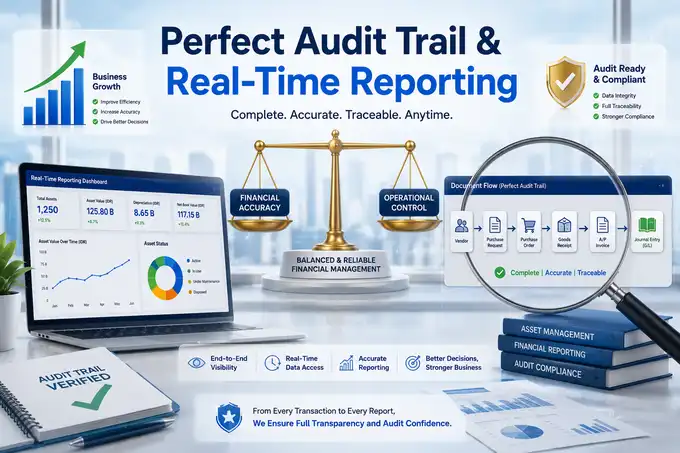
From a corporate governance perspective, this automation delivers transformative benefits to financial accuracy and audit compliance:
- Real-Time G/L Posting Accuracy: Capitalization occurs simultaneously with accounts payable recognition. The system automatically debits the Fixed Asset account and credits the Clearing Account through automated Fixed Asset Journal Entries based on predefined G/L Account Determination, minimizing manual intervention.
- Flawless Audit Trail: Every newly generated asset record maintains a direct link to its originating A/P Invoice. Through the Document Flow feature, auditors can trace asset origins, acquisition costs, and vendor details with a single click.
- Reliable Real-Time Reporting: Depreciation reports, asset book values, and fixed asset reconciliation reports can be produced at any moment with confidence that no physical assets remain unrecorded or unconsolidated within the system.
Manual Process vs. Virtual Item Comparison
To provide management with a clearer perspective for implementation decisions, the following table compares manual asset registration methods with the use of the Virtual Item feature:
| EVALUATION PARAMETER | MANUAL RECORDING PROCESS | USING SAP B1 VIRTUAL ITEM | BUSINESS IMPACT |
|---|---|---|---|
| Data Entry Speed | Slow (Each asset master data must be created individually). | Extremely Fast (A single invoice entry can generate hundreds of asset master records). | Significantly improves the efficiency of the Finance & Accounting team. |
| Acquisition Value Accuracy | Highly susceptible to miscalculations when discounts or additional invoice charges are involved. | Automatically distributed proportionally based on values within the A/P Invoice. | Ensures 100% accurate asset capitalization values on the balance sheet. |
| Serial Number Tracking | Performed externally outside the system (commonly using Excel). | Fully integrated through the Enforce Serial Numbers feature. | Strengthens asset loss prevention and warranty management controls. |
| Document Integrity | The relationship between procurement transactions and asset master data is frequently disconnected. | Establishes a seamless Document Flow from Purchasing to Fixed Assets. | Simplifies the work of Internal Audit teams during physical and documentary verification. |
Best Practices for Using Virtual Items
To ensure optimal implementation and prevent future administrative confusion, companies are advised to adopt the following operational standards:
- Standardize Document Numbering Series: Create dedicated numbering series specifically for automatically generated assets, making them easily distinguishable from manually capitalized or individually purchased assets.
- Integrate Approval Processes: Implement purchase value limitations on A/P Invoice or Purchase Order documents through the SAP Business One Approval Process feature to prevent unauthorized mass asset acquisitions.
- Maintain Consistent Naming Policies: Although the system automatically generates asset codes, ensure the master data template already contains clear brand and model descriptions before transactions are executed.
Implementation Example in an Indonesian Company
Let us examine a case study involving PT Sinar Maju, a distribution company in Jakarta currently undergoing a large-scale operational expansion.
Business Scenario
The company purchases 50 operational smartphones for its newly recruited field sales team. The total transaction value reaches IDR 150,000,000 (excluding tax).
Process Before Implementation
The Purchasing staff creates the Purchase Order, while the warehouse department receives the goods. Once the vendor invoice arrives, the Accounting team must dedicate nearly an entire working day to creating 50 separate Asset Master Data cards, manually entering each IMEI number as a serial number, followed by individual capitalization journal postings for every smartphone. Fatigue-induced account coding errors become highly probable.
Process After Implementation
- The consultant creates an intermediary master data code named
FA_VIRT_HPwith the description “Samsung Galaxy A15 (Virtual)” and enables the Virtual Item option. - Upon receiving the devices, the Finance department simply enters a single
FA_VIRT_HPline item within the A/P Invoice document with a quantity of 50. - The system automatically displays the Serial Number Assessment window. Staff merely scans all 50 smartphone IMEI barcodes using a barcode scanner.
- Click Add. Instantly, SAP Business One automatically generates asset numbers
FA-00001throughFA-00050, each carrying an acquisition value of IDR 3,000,000 complete with its uniquely assigned IMEI number. A task that once consumed an entire working day is completed in under five minutes with absolute precision.
FAQ
What is a Virtual Item in SAP Business One?
A Virtual Item is a specialized function within SAP Business One fixed asset master data that serves as a template for automatically generating multiple identical asset cards when users post mass procurement documents.
When should Virtual Item be used?
This feature is ideally suited for situations where companies procure large volumes of similar capital assets simultaneously, such as office computers, operational mobile devices, courier motorcycles, or meeting room furniture.
Can Virtual Items utilize serial numbers?
Absolutely. By activating the Enforce Serial Numbers feature within the master data, SAP Business One requires users to enter individual serial numbers during the A/P Invoice creation process, which are then automatically attached to each newly generated asset.
Why does the Virtual Item checkbox not appear in Item Master Data?
Ensure that the Fixed Assets module has been activated under Company Details. Additionally, verify that the item type is configured as a Fixed Asset and that both the Inventory Item and Sales Item options are disabled, since Virtual Item functionality applies exclusively to fixed asset management.
Can Virtual Item only be used with A/P Invoice documents?
Generally, this automation process is triggered through purchasing documents such as A/P Invoice or Goods Receipt PO (GRPO) directly associated with external vendors. However, under specific internal project circumstances, automatic asset creation may also be initiated through Capitalization documents.
Conclusion
The Virtual Item feature within SAP Business One demonstrates that large-scale asset management does not need to compromise productivity or financial data accuracy.
By integrating procurement workflows directly into asset creation processes, companies can dramatically reduce administrative workloads, strengthen internal control through rigorous serial number management, and produce financial reports supported by robust and credible audit trails.
Is your company planning to restructure its fixed asset management strategy or seeking ERP optimization? Consult your specific SAP Business One implementation requirements with our team of experienced ERP consultants.