


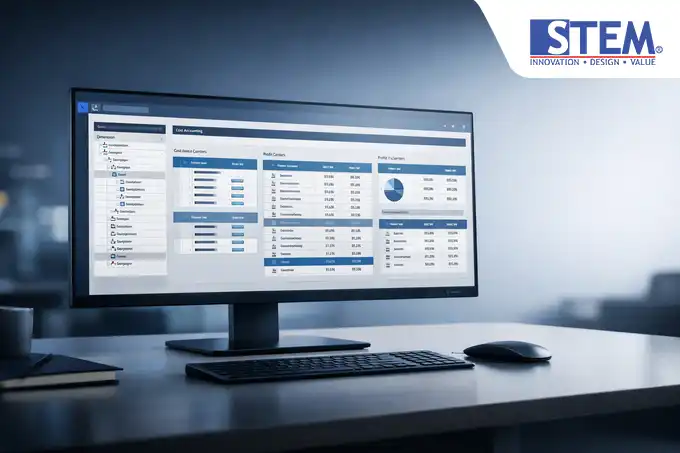
For many growing companies, the greatest challenge in financial management is not merely recording transactions, but understanding where the money actually goes.
Without a detailed reporting structure, the Profit and Loss (P&L) statement becomes nothing more than a collection of aggregated figures that fail to reveal the efficiency of each department or project.
Common issues often include difficulty in specifically tracking operational expenses, lack of transparency between departmental reports, and biased profitability analysis. This is where the Cost Accounting feature in SAP Business One plays a crucial role.
This functionality enables companies to allocate costs accurately and generate in-depth profitability reports without adding complexity to the Chart of Accounts (COA) structure.
What Are Dimensions and Cost Centers in SAP Business One?
Within the SAP Business One ecosystem, Dimensions serve as broad categories or “umbrella” classifications for cost grouping. You can define up to five dimensions (for example: Departments, Branches, Product Lines, or Projects).
Meanwhile, Cost Centers represent the specific units within those dimensions that absorb costs or generate revenue. For instance, if the Dimension is “Department,” the Cost Centers might include “Marketing,” “HR,” or “Production.”
This system operates using a multi-dimensional accounting logic. In practice, a single Journal Entry can be assigned across multiple dimensions simultaneously, providing exceptional reporting flexibility for Finance Managers and Controllers.
Why Do Companies Need Dimensions and Cost Centers?

Without dimensions, you may be forced to create numerous General Ledger accounts simply to differentiate costs between branches. This quickly leads to an overly complex and difficult-to-manage Chart of Accounts. Here are several technical reasons why this feature should be enabled:
- Financial Reporting Granularity: Generate Profit and Loss statements by department or branch within seconds.
- Internal Control & Accountability: Department managers become more accountable for their budgets as costs are tracked precisely.
- Accurate Cost Allocation: Simplifies the distribution of overhead expenses to relevant cost centers.
- Real-Time Reporting: Eliminates the need for manual Excel recaps at month-end to separate costs across business units.
How to Add Dimensions in SAP Business One
Before creating Cost Centers, you must first define the dimensions. By default, SAP Business One provides a dimension structure that can be activated through the Financials module.
Steps to Configure Dimensions:
- Navigate to Financials > Cost Accounting > Dimensions.
- In the Dimensions window, you will see the Dimension Code and Dimension Name fields.
- Select the Active checkbox for the dimension you wish to use (for example, rename Dimension 1 to “Department”).
- Click Update.
Consultant Tip: Carefully design your dimension structure at the beginning of implementation. Modifying dimension structures mid-fiscal year may compromise historical data consistency.
How to Add a Cost Center in SAP Business One
After the dimension is activated, you can then register cost center units within it.
-
Open the Cost Centers Menu
Go to Financials > Cost Accounting > Cost Centers.
-
Click the Add Button
Click the Add icon (CTRL+A) on the toolbar to enter add mode.
-
Enter Cost Center Code
Enter the Cost Center Code (Example: DEPT_MKT).
-
Enter Cost Center Name
Enter the Cost Center Name (Example: Marketing Department).
-
Select Dimension
Select the relevant Dimension (Example: Department).
-
Set Cost Center Type
Set the Cost Center Type (Typically set to “Regular”).
-
Set Effective Date
Set Effective From and Effective To to determine the validity period of the cost center.
-
Save Data
Click Add to save the data.
Example of Using Dimensions and Cost Centers in Transactions
Imagine your company pays an electricity bill for headquarters amounting to Rp10,000,000. You want to allocate this cost across three departments.
| GL ACCOUNT | DEBIT | CREDIT | DIMENSION: DEPARTMENT |
|---|---|---|---|
| Electricity Expense | Rp5,000,000 | – | Cost Center: Production |
| Electricity Expense | Rp3,000,000 | – | Cost Center: Sales |
| Electricity Expense | Rp2,000,000 | – | Cost Center: Admin |
| Cash/Bank | – | Rp10,000,000 | – |
Impact on Financial Reports

Activating dimensions and cost centers significantly enhances SAP Business One reporting capabilities:
- Profit & Loss Statement: Run P&L reports using Distribution Rule filters and compare branch performance directly.
- Cost Center Report: Displays detailed transactions posted to a specific cost center, facilitating cost audits.
- Distribution Report: Shows how costs are allocated across dimensions, ideal for indirect cost analysis.
- Budget vs Actual: SAP Business One allows budgeting per Cost Center, enabling automated overspending control through Approval Processes.
Best Practices for Using Dimensions
From an implementation perspective, consider the following recommendations:
- Use Hierarchies: Leverage Cost Center Hierarchy to group smaller cost centers into broader categories.
- Mandatory Cost Centers: Configure certain expense accounts to require cost centers to prevent incomplete entries.
- Consistent Naming Conventions: Use systematic prefixes such as “DEPT_” for departments and “BR_” for branches.
- Use Distribution Rules: Automate recurring cost allocations based on predefined percentages.
Common Mistakes
- Too Many Dimensions: Overusing all five dimensions unnecessarily burdens end users during data entry.
- Incorrect Account Selection: Assigning cost centers to balance sheet accounts such as receivables or payables.
- Lack of Periodic Review: Inactive cost centers should be deactivated to maintain clean transaction options.
FAQ
What is a Dimension in SAP Business One?
A Dimension represents the highest level of cost grouping in SAP Business One cost accounting.
What is the difference between Dimensions and Cost Centers?
Dimensions are categories (e.g., Departments), while Cost Centers are detailed units within them (e.g., HR, Finance, IT).
How many dimensions are supported in SAP Business One?
SAP Business One supports up to five financial dimensions simultaneously.
Do dimensions affect primary financial statements?
Yes. Dimensions allow P&L reports to be presented by business unit without altering General Ledger balances.
Conclusion
Adding dimensions and cost centers in SAP Business One is a critical step in transforming raw accounting data into strategic management insights.
With proper configuration, companies not only record financial history but also gain comprehensive control over operational efficiency across every business unit.
If you require further guidance on optimizing financial modules or ensuring your Distribution Rules align with industry best practices in Indonesia, consult your SAP implementation partner.
Looking to optimize SAP Business One in your organization?
Discover more technical insights on reporting and database management at sap-business-one-tips.com.