



In the day-to-day operations of companies utilizing SAP Business One, the Finance department is often confronted with a seemingly simple yet potentially critical dilemma: “Should I issue a Down Payment Request or proceed directly with an A/R Invoice?”
Choosing the wrong document is not merely an administrative oversight. It directly affects the accuracy of financial statements, tax recognition (VAT), and even the reliability of the Aging Receivable report.
In Indonesia—where compliance with tax invoice regulations is rigorously enforced—understanding the technical logic behind these two documents is not optional. It is essential for both accountants and SAP consultants alike.
Down Payment Request (DPR) is a non-posting document used to request an advance payment without affecting Accounts Receivable balances (General Ledger) or revenue recognition. In contrast, an A/R Invoice is a legal document that records official receivables, recognizes Revenue, and directly impacts both the income statement and balance sheet.
The fundamental distinction lies in their financial impact: a DPR serves as an informational trigger for payment, while an Invoice represents an accrual-based document with binding accounting consequences.
What is a Down Payment Request in SAP Business One?
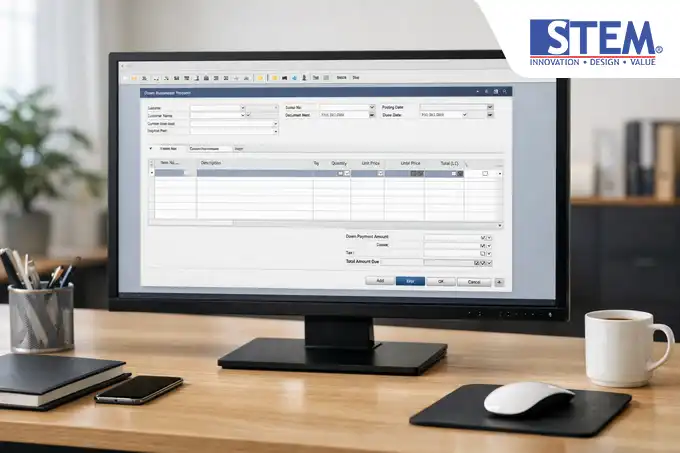
Down Payment Request (DPR) represents an initial billing commitment to customers prior to the delivery of goods or completion of services. Technically, within SAP Business One, DPR functions as a “notification” indicating that the company anticipates incoming cash flow.
Key characteristics of DPR:
- Non-Accounting Impact: Creating a DPR does not generate a Journal Entry in the background (unless specifically configured for taxation).
- Trigger for Payment: The document serves as the basis for the cashier team to record Incoming Payment.
- Control Mechanism: Enables companies to lock Sales Orders from progressing to delivery until the advance payment is received.
What is an Invoice in SAP Business One?
A/R Invoice (commonly referred to as a Sales Invoice) is the final document in the sales cycle. It confirms that the company has fulfilled its obligation (goods delivered/services completed) and that the right to payment has been established.
Key characteristics of A/R Invoice:
- Full Accounting Impact: Automatically debits Accounts Receivable (Customer Balance) and credits Revenue and Output VAT.
- Inventory Integration: If created without a prior Delivery document, the A/R Invoice directly reduces warehouse stock (Inventory Offset).
- Legal & Tax Document: Serves as the primary basis for VAT reporting in Indonesia.
Down Payment Request vs Invoice in SAP Business One
To simplify understanding, the following comparison table is commonly used by consultants during the Business Blueprinting phase:
Comparison Table: Down Payment Request vs A/R Invoice
| ASPECT | DOWN PAYMENT REQUEST (DPR) | A/R INVOICE |
|---|---|---|
| Main Purpose | Request advance payment | Bill final payment/sales |
| Journal Impact | None (memorandum only) | Debit Receivable, Credit Revenue |
| Revenue Recognition | Not recognized as revenue | Recognized upon posting |
| Inventory Impact | No effect on stock levels | Reduces stock (if without Delivery) |
| Transaction Flow | Before goods are delivered | After/during delivery |
| Aging Status | Does not appear in standard Aging Report | Appears as receivable due |
| Misuse Risk | Understated revenue | Overstated tax |
Down Payment Request Process Flow (Pre-Payment Flow)
In distribution or manufacturing implementations, the DPR process typically follows this structure:
- Sales Order (SO): Agreement on price and quantity.
- A/R Down Payment Request: Created based on SO (Copy From). Specify the DP percentage (e.g., 30%).
- Incoming Payment: Record customer payment. At this stage, accounting entries are generated: Debit Cash/Bank and Credit Customer Advance (Liability).
- Delivery: Physical shipment of goods.
- A/R Invoice: When creating the final invoice, the system detects the paid DP and performs clearing, automatically reducing the invoice amount.
Invoice Process Flow (Standard Sales Flow)
This flow applies to standard credit transactions or direct sales:
- Sales Order: Customer order.
- Delivery: Goods issued from warehouse (Journal: COGS).
- A/R Invoice: Official billing (Journal: Receivable and Sales).
- Incoming Payment: Customer settles receivable.
Impact on Accounting and Financial Statements

As a Senior Strategist, I often emphasize that selecting the wrong document disrupts the Audit Trail:
- Revenue (Income Statement): DPR keeps financial statements free from unrealized revenue. Using an Invoice for DP inflates profits prematurely.
- Customer Balance: DPR does not increase receivables, preserving liquidity ratios.
- Cash Flow: DPR supports cash flow projections without prematurely triggering VAT obligations (depending on tax policy).
- Aging Report: Using Invoice for DP causes aging reports to appear overdue, even when goods have not yet been delivered.
Risks of Misusing Down Payment vs Invoice
- Excess Tax Payment: Issuing an A/R Invoice for DP and accidentally posting the total value obligates immediate VAT payment.
- Inventory Discrepancy: Premature A/R Invoice (without Delivery) reduces system stock while goods remain in warehouse.
- Distorted Sales Analysis: Sales managers see inflated sales figures while warehouse records show no shipments.
Best Practices for Using Down Payment Request
Based on implementation experience across various Indonesian industries:
- Use DPR for Milestones: Particularly in construction or project-based industries.
- Ensure Document Linkage: Always use “Copy From” or “Copy To” to maintain Relationship Map.
- Use Down Payment Invoice (DPI) for Tax Needs: If tax invoices are required at DP stage, use A/R Down Payment Invoice.
- Routine Reconciliation: Ensure AR team clears DP when final invoice is issued.
Implementation Case Example

PT ABC (Furniture Manufacturing) receives an order worth Rp 100,000,000 with a 30% DP requirement.
- Correct Approach: Issue A/R Down Payment Request for Rp 30,000,000. After payment, proceed with production. Upon delivery, create A/R Invoice for Rp 100,000,000 and apply DP, leaving Rp 70,000,000 outstanding.
- Incorrect Approach: Issue A/R Invoice for Rp 30,000,000 at the beginning, causing premature sales recognition and inaccurate inventory records.
FAQ (Frequently Asked Questions)
What is Down Payment Request in SAP Business One?
An advance payment request document that does not affect receivables or revenue in the accounting ledger.
When should Down Payment be used?
When payment assurance is required before procurement, production, or service delivery.
Does Down Payment immediately become revenue?
No. Advance payments are recorded as liabilities until goods or services are delivered.
How does Down Payment relate to Invoice?
Down Payment reduces the final invoice value. In SAP Business One, apply it using the “Total Down Payment” button.
Conclusion
Understanding the distinction between Down Payment Request and A/R Invoice is fundamental to maintaining financial data integrity in SAP Business One. DPR serves as a cash management and order control tool, whereas Invoice functions as a revenue recognition and tax compliance instrument.
By implementing the correct process flow, your organization not only achieves accurate financial reporting but also streamlines audits and enables real-time inventory monitoring.
Need assistance optimizing your SAP Business One business processes?
Ensure your finance team fully understands this document flow to avoid costly posting errors and safeguard year-end financial accuracy. Save this guide as a standard operating reference for your accounting team.